Communication solution for businesses
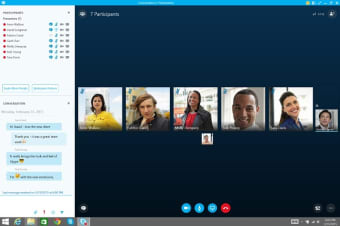
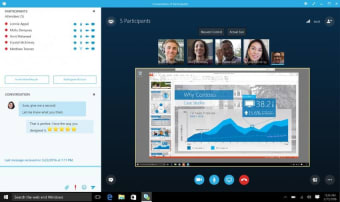
Nowadays, more and more businesses are becoming globalized. It is not rare for companies to work in tandem with production units in other countries. However, doing so results in some paramount concerns, including communications. Luckily, there are messaging applications that offer seamless communication no matter where the users are. Skype Business is an application that provides text-based messaging and video calling. It replaced Microsoft's primary message app for business, known as Lync, and combined its elements and features with that of the consumer version of Skype. With this, users can enjoy one-click joining, edge-to-edge video, and full-screen sharing for clearer communication.
Top Recommended Alternative

Solid features, great performance
Skype for Business is more focused on providing users with high-quality audio and video calls. The app has amazing tools that allow companies to make multinational calls. For one, there is a Live Subtitles feature, which adds real-time subtitles during your call sessions. With this, discussions will be easier to understand. The live subtitles feature is best used with Skype for Business' real-time translation. This function interprets different languages quickly without the need for additional language software.
If you need to go over your conference call, Skype Business allows you to record calls. The app also supports online meetings up to ten people without paying for a subscription. However, 60 days after your initial use, the number will be limited to three. Skype for Business also lets users initiate and receive calls from mobile and landline. The voice call feature even has voicemail support and caller ID set-up.
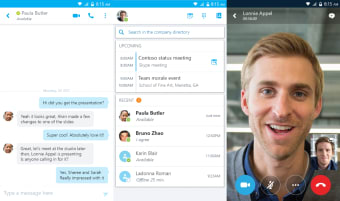
Of course, just like the commercial version of Skype, you can also send instant messages—complete with emojis and GIFs. All messages sent through the app are secure and private thanks to end-to-end encryption. All in all, the solid features and great performance of Skype for Business make it a great option for businesses. The app not only provides messaging and calling services, but it also allows users to send files. Moreover, it has powerful web-integration tools that make sharing media files from the web to Skype faster.